
CFMapper
New from TeamVanilla
Take any CrossFire map apart and put it back together your way. Move the walls, repaint the rooftops, park a Hummer from another map in the courtyard, set new spawns, and hand your version to a friend as one small file.

Your map in five moves
A new spawn for a stale map, a wall opened up to see what happens, a corner dressed for a screenshot: if you have ever looked at a map and thought "what if", this is where you try it.
- 1Open it up
Every one of the game's 395 maps opens split into the pieces it was built from. Each wall, roof, crate and tower is its own thing to grab.
- 2Move it
Click anything and move it, spin it, stretch it or make it disappear. Changed your mind? Ctrl+Z.
- 3Repaint it
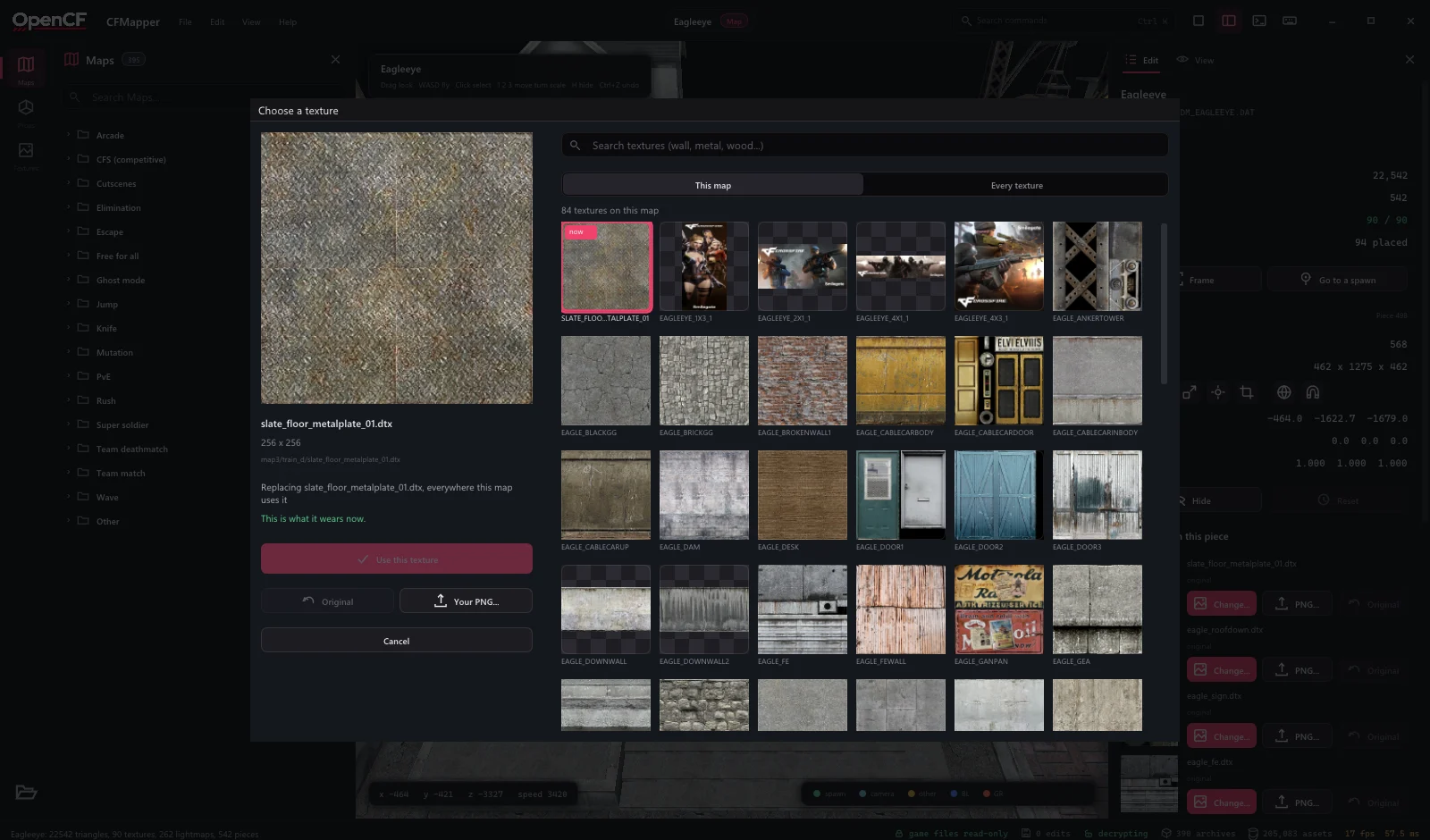
Click a texture and pick from every other one the game has, side by side. Every surface that used it changes at once.
- 4Fill it
Drag props in from a library of over 160,000: the game's own models, plus every car, crate and tree cut out of every map.
- 5Share it
Add BL and GR spawns, then save your version as a .cfm. It holds only your changes, so anyone with CrossFire can open it.
Pictures
Real captures, not mock-ups. Click one to see it full size.



What's inside
- Every map, ready to edit. All 395, sorted by mode, with their own textures and lighting. Fly in with WASD and click whatever you want to change.
- A real gizmo. Move, turn and scale pieces and props by dragging handles, hide what is in the way, and move the game's own spawn points. Every change can be undone.
- Repaint anything. Each piece shows the textures it wears as pictures. Click one to browse the map's textures or the game's whole collection, with see-through fences and grates shown as they are.
- The biggest prop box in CrossFire. The game keeps most of its props baked into the maps, so CFMapper cut every one of them out: over 87,000 objects from every map, plus the game's own models, each with a picture and sorted into vehicles, crates, buildings, plants and more.
- Spawns and markers. Place BL and GR spawns, camera spots and notes. Each shows in the map with its name.
- Share in one small file. A
.cfmcarries your changes and nothing else. Whoever opens it sees your version, straight from their own copy of the game.
Getting started
- DownloadCFMapper.exe is the whole program. Put it in a folder of its own: it keeps its copy of the game files beside it.
- Open itThe program is not code-signed, so Windows may say it does not recognise it. Choose More info, then Run anyway.
- Let it copy onceOn first launch it finds your CrossFire folder and copies the files it reads, about 21 GB today, which takes a few minutes. After a game patch, File > Storage > Update copies only what changed.
It never writes to your CrossFire install and never touches a running or patching game. A .cfm holds your changes, never the game's files, so whoever opens one needs CrossFire installed.
Made something?
Show us your best edit, or tell us what CFMapper should do next.