
CFMM
In development at TeamVanilla
CrossFire Movie Maker: make films with CrossFire's own maps, mercenaries and weapons. Cast it, act it out, give it a look, and export it.
CFMM is still being built, so there is no download yet. Everything pictured here is a real capture from the current build, not a mock-up. It will be released here, beside OpenedCF, when it is ready.
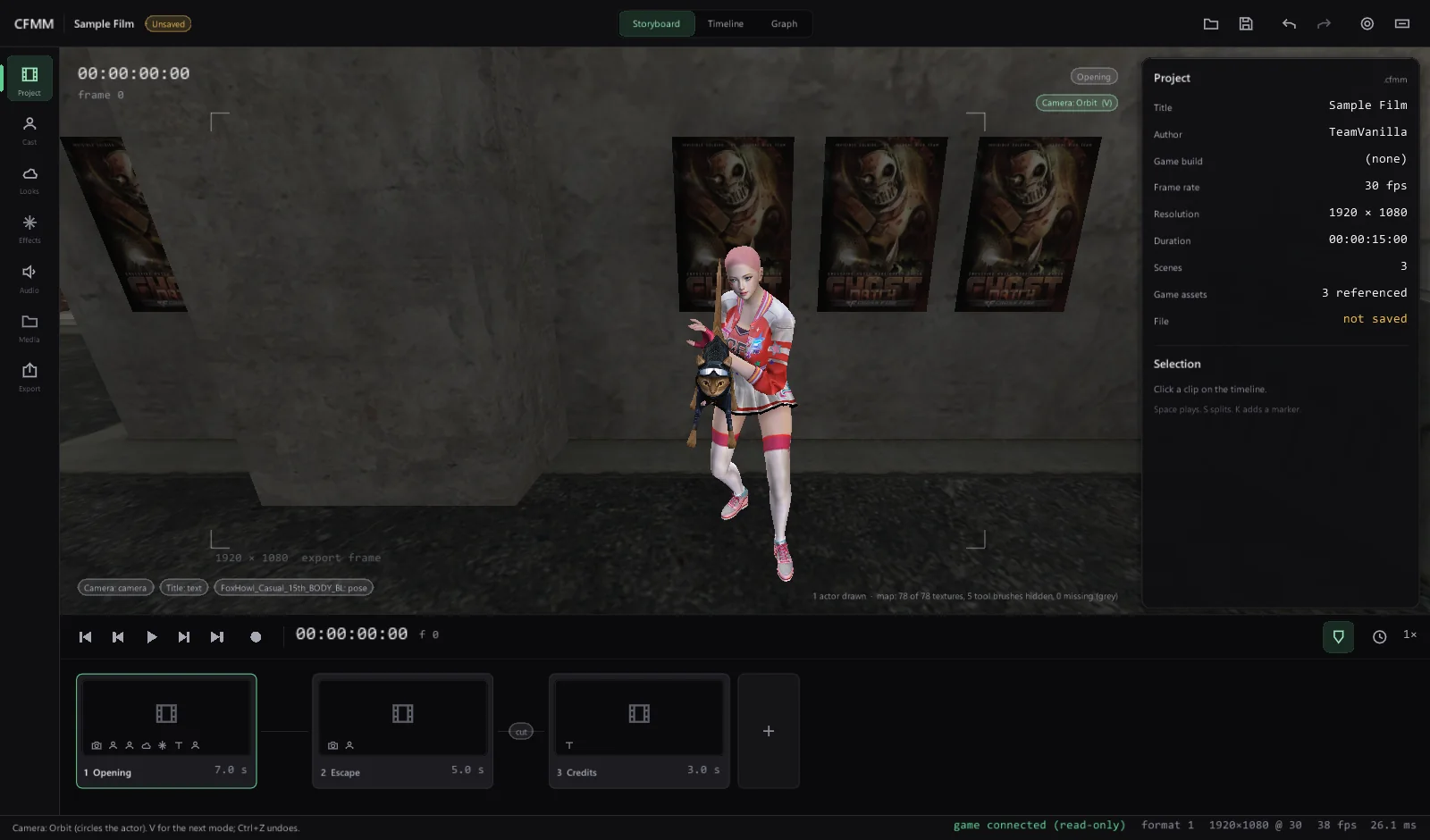
From a map to a film
CFMM is for highlight reels, machinima, map flythroughs and loadout showcases: films you cannot get by screen-recording a match.
- 1Cast
Pick a map, then the actors: any character, weapon, gear and posture the game has. Add props from the game's own models.
- 2Perform
Click an actor and play them in first person with the usual controls, or Record Gameplay against bots. Every run is kept as a take.
- 3Arrange
Cut takes into scenes on a storyboard, or work on a full timeline with layers, envelopes and undo for every edit.
- 4Look
Give each scene a time of day, weather and grade: fog, rain, sun rays, ambient occlusion, reflections and more.
- 5Export
Render the film frame by frame at full resolution, with the game's music and sounds mixed in.
Pictures
Click one to see it full size.


What works today
- The game's whole library. Every map, character, weapon and piece of gear in your install loads, with their skins and the game's own animations.
- Acting. Play any actor in first person, with their weapon and arms and a HUD made from the game's interface art, or record a firefight against bots with damage, deaths and grenades.
- Six cameras. Free, eye, over the shoulder, drone, follow and orbit, each one a function of time, so scrubbing and export always give the same frame.
- A scene editor. Select any piece of a map or a prop; move, rotate, scale or hide it per scene. World objects — spawns, weapon spots, flags, doors and lights — are fully read and placed.
- Looks. A Direct3D 12 stage with a full effects chain: time of day, weather, fog, sun rays, shadows, ambient occlusion and reflections. Shaders can be swapped for your own.
- Sound and music. The game's own soundtrack and effects on an audio layer, with volume and fades.
- Projects. Storyboard and timeline views, undo for every edit, and
.cfmmfiles you can hand to someone else who has the game.
Still to come: MP4 output (export writes a picture sequence and a sound file today), camera paths and cuts, reload animations and the HUD in exported frames.
Safe by design
Like OpenedCF, CFMM only reads your CrossFire install. It never changes a game file and never touches a running game: the firefights, effects and edits all happen inside CFMM's own films. It needs your own installed copy of CrossFire and ships none of the game's content.
Want to try it first?
Tell us what you would make with it, or what it should do before it comes out.